Exact geometry
A solid, not a mesh.
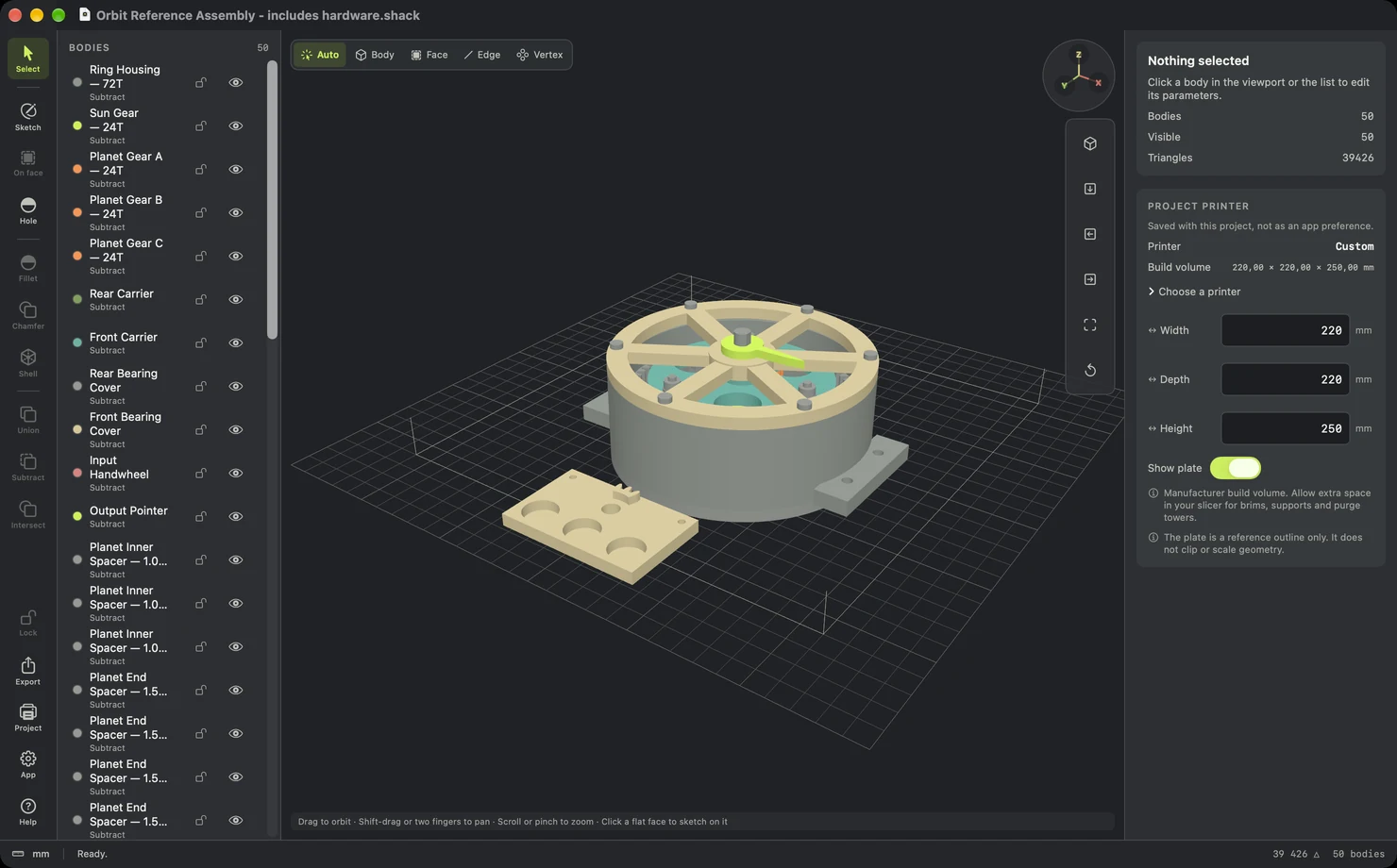
Every body is an exact boundary-representation solid. Holes stay round, faces stay flat, and the Orbit gearbox you see here is fifty editable parts, not a scan.
 SHACKCAD
Shack CAD for Mac
Exact solid modelling for 3D printing. Sketch, dimension, fillet and combine parts, then hand them to your slicer.
Scroll to take it apart
Exact geometry
Every body is an exact boundary-representation solid. Holes stay round, faces stay flat, and the Orbit gearbox you see here is fifty editable parts, not a scan.
Bodies
Name, colour, lock and hide every body. Booleans keep both operands, so the history behind each part stays open to change.
Sketch
Start on XY, XZ or YZ, or click any flat face. Driving dimensions and relationships hold the profile exactly where you put it.
Edges and walls
Pick the edges or a face, then drag the handle or type the value. Apply when it looks right; one Undo takes it back.
Combine
Join bodies or cut one with another without losing either. You can still resize the hole after you have cut it.
Selection
Auto, body, face, edge or vertex. Clicking does the obvious thing, and the filter is there when the obvious thing is not what you want.
Inspector
Choose a printer and its build volume appears as an outline. It never clips or scales your model. Every field takes arithmetic and units, so 220/2 and 3 in both work.
Export
Standard exports are free. High resolution export is a single in-app purchase. Your files stay on your Mac.
Orbit · plate 1 of 4
Sixteen printable parts of the Orbit gearbox, exported from Shack CAD as a single 3MF and drawn here layer by layer.

Standard STL and 3MF export costs nothing. High resolution export is a one-time purchase. No account, no subscription.
Download on the Mac App StoreRequires macOS 14 Sonoma or later.